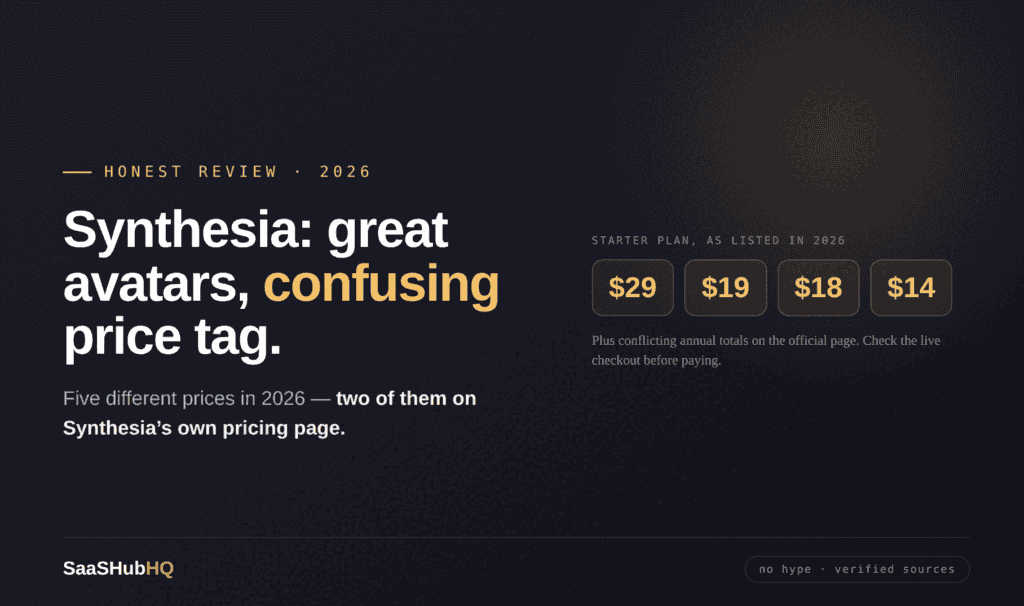
Synthesia Review 2026: Great Avatars, Confusing Price Tag
Short answer: Synthesia makes polished, corporate-grade avatar videos and is the category leader for training and internal communication. But its pricing is genuinely hard to pin down — we found five different figures across sources in 2026, including two that contradict each other on Synthesia’s own pricing page. For faceless YouTube, it’s usually the wrong tool: low monthly minutes, no rollover, no self-serve top-ups, and a product built for companies rather than creators. If you want an avatar presenter on a creator budget, HeyGen is the better fit. If you’re producing training videos for a business, Synthesia earns its reputation.
Here’s the honest 2026 breakdown.
The pricing problem, stated plainly
Most reviews print one clean pricing table. We couldn’t, honestly, because the numbers don’t agree.
Across 2026 we found Synthesia’s Starter plan listed at $29/month, $19/month, $18/month annual and $14/month annual — and in August 2026 one analyst noted that the plan cards and the FAQ on Synthesia’s own pricing page showed different annual totals for the same plans. The company also ran a “new lower prices” campaign earlier in the year, which explains some of the spread.
So here’s the realistic picture, with ranges instead of false precision:
| Plan | Roughly | What you get |
|---|---|---|
| Basic | $0 | About 10 min/month of standard video, 9 stock avatars, testing only |
| Starter | ~$18–29/month | About 10 min/month, one editor, downloads and commercial use |
| Creator | ~$64–89/month | About 30 min/month, personal avatars, API and interactive video |
| Enterprise | Custom | Multiple editors, SSO, compliance — median spend around $30,000/year |
Our advice: treat any number you read — including ours — as approximate, and check the live checkout before paying. That’s not a disclaimer we’d normally need to write. With Synthesia, it is.
How the credits actually work
Synthesia moved to a credit system, and the rates matter more than the plan names:
• Standard video: 120 credits per minute
• Lip-synced dubbing: 240 credits per minute — double
• Editing an avatar scene, changing a voice or language: can burn extra credits
Three rules that catch people:
Credits don’t roll over. Unused minutes vanish at the end of each billing period.
There are no self-serve top-ups. Run out mid-month and you can’t just buy more credits — you upgrade the plan or wait.
Finish the script before you generate. Every regeneration costs credits, so iterating inside Synthesia is expensive. Lock the script and scene structure first.
What’s genuinely good
Consistency on longer content. Where Synthesia pulls ahead of cheaper rivals is polish over minutes, not seconds — its avatars hold up better across a ten-minute training module.
Translation at scale. 140+ languages with lip-synced output. Record once in English and generate localized versions with the same avatar. Enterprise users praise this more than any other feature, and for multinational training it’s the whole reason to buy.
A real free tier. About ten minutes a month with no card required is one of the more generous trials in AI video — genuinely enough to judge whether the avatars suit you.
Built for business. SSO, LMS integration and compliance controls exist because companies buy this for onboarding and training. If that’s you, the price makes sense.
The honest catches
The pricing transparency problem — covered above, and it’s the biggest one.
Low minutes for the money. Around ten minutes a month on Starter is roughly two or three short videos. A weekly YouTube channel burns through that in a week.
Premium add-ons stack up. High-quality Studio Avatars have historically cost around $1,000 per year extra, and some features like SCORM export sit behind Enterprise.
The free tier isn’t for publishing. It’s a genuine test drive, not a production plan.
For faceless YouTube: mostly a no
Be honest with yourself about the format.
If your channel is narration over footage — which most faceless channels are — Synthesia is the wrong tool. You’d be paying for avatar technology you don’t use. A video tool like Pictory or Fliki fits better; our Pictory vs Fliki comparison settles that choice.
If you want an on-screen AI presenter, compare it with HeyGen first. HeyGen’s Creator plan costs less and targets creators rather than companies — though read our HeyGen review for the credit catch on its best engine.
If you’re making training or course content for a business or a paid course, Synthesia becomes a strong option — that’s the job it was built for.
For voice, a dedicated tool beats any bundled narration: see our ElevenLabs review. And for how the pieces fit, the complete faceless tool stack covers real monthly costs.
The verdict
Buy Synthesia if you produce training, onboarding or multilingual business video, and value polish over price.
Test the free tier first — ten minutes is enough to decide.
Skip it for a typical faceless channel. The minutes are too few, the credits too rigid, and the product aims at a different customer.
And whatever you decide, confirm the price at checkout. On this product, that step isn’t optional.
Try Synthesia →
FAQ
How much does Synthesia cost in 2026?
It depends on when and where you look — sources list Starter anywhere from about $14 to $29 per month, and Synthesia’s own page has shown conflicting annual totals. Expect roughly $18–29/month for Starter and $64–89/month for Creator, and check the live price before buying.
Do Synthesia credits roll over?
No. They reset each billing period, and there are no self-serve top-ups if you run out.
How many minutes does Starter give?
About ten minutes of standard video per month. Lip-synced dubbing uses credits twice as fast.
Is Synthesia good for faceless YouTube?
Usually not. It suits presenter-led training content. Narration-over-footage channels are better served by a dedicated video tool.
Synthesia or HeyGen?
HeyGen for creators on a budget and realism; Synthesia for business training, polish over long videos and enterprise controls.
Is there a free plan?
Yes — about ten minutes a month with stock avatars, no card required. It’s for testing, not publishing.
Building a faceless channel? Grab our free Faceless YouTube Starter Checklist — the exact 11 steps plus the full AI tool stack with real monthly costs.