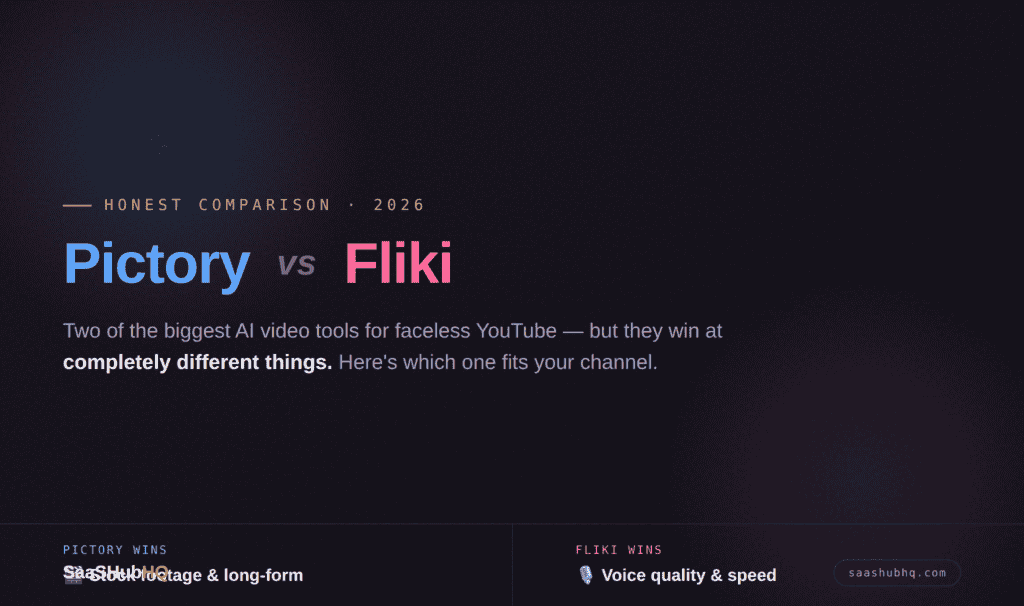
Pictory vs Fliki: The Honest 2026 Comparison (For Faceless YouTube)
Short answer: Pictory wins if you’re turning blog posts and scripts into long-form video and you lean on stock footage — its Shutterstock and Getty library is the biggest in the category. Fliki wins if voice quality is your priority and you make shorter, narration-led content. Neither is perfect, and the “right” one depends entirely on which bottleneck hurts you more: visuals or voice.
We dug into both tools’ current plans, features, and real-world limits to settle this for faceless creators. No hype, no “everything is amazing” — just where each one actually earns its price.
Why this comparison, done honestly
Search “Pictory vs Fliki” and you’ll find a hundred articles, most stuffed with affiliate links and suspiciously glowing about both. We took a different approach: verify the real pricing and limits (which change constantly and which most articles get wrong), then match each tool to the specific job a faceless channel needs done.
One note up front, because honesty is the whole point of this site: we haven’t run a $100 head-to-head production test on these two yet — that’s coming as the site grows. What follows is a rigorous, verified feature-and-value comparison, not a fabricated “I used it for 40 hours” story. When we do spend the $100, you’ll be the first to see the raw results.
Pictory: the stock footage king
Real pricing (verified July 2026): Starter is $25/month (or about $19/month billed annually). There’s no permanent free plan — just a trial of 3 projects. Higher tiers (Professional ~$39–49, Team ~$119) add more video minutes.
What it’s genuinely good at:
• Blog-to-video actually works. Paste a URL or script, and Pictory builds a video with matched footage and captions. For repurposing written content — which is a faceless goldmine — this is the fastest workflow in the category.
• The stock library is unmatched. Access to Shutterstock and Getty means millions of professional, commercially-safe clips. For niches like finance, history, or tech explainers, you’ll almost always find footage that fits. This is Pictory’s single biggest advantage over Fliki.
• 1080p on the Starter tier, and captions/sync are reliable.
The honest weaknesses:
• AI voice quality is only okay. Pictory’s voices get the job done but still carry that “AI narrator” flatness. This is exactly where Fliki pulls ahead.
• No permanent free plan. Once your 3 trial projects are gone, you’re paying to continue.
• The 10-minute-per-video cap on Starter matters for long-form creators (though it’s irrelevant for Shorts).
Best for faceless YouTube: Long-form, stock-footage-heavy channels — finance, history, tech, educational explainers — especially if you repurpose blog content.
Fliki: the voice specialist
Real pricing (verified July 2026): A genuine free plan exists (5 minutes/month, 720p, watermarked — a demo, not a production tool). Standard is ~$28/month (about $21–22 annually) for 120–180 minutes, no watermark, and the full premium voice library.
What it’s genuinely good at:
• Voice quality is the standout. Fliki’s realistic voices are noticeably more natural than Pictory’s — the closest thing to ElevenLabs inside an all-in-one video tool. For narration-led faceless content, this is the whole ballgame.
• It’s fast. Paste a script, get narrated video quickly. The integrated voice-plus-video workflow beats gluing separate tools together.
• Multilingual depth — 75+ languages, useful if you run channels beyond English.
• A real free tier to test with (Pictory makes you commit after 3 projects).
The honest weaknesses:
• The stock library is far smaller than Pictory’s. For visual-heavy niches, you’ll hit “I can’t find the right clip” much sooner.
• No blog-to-video automation the way Pictory does it — you bring the script.
• 720p on Standard; you’re paying more for 1080p.
• The free plan’s 5 minutes is genuinely just a demo — one short video and it’s gone.
Best for faceless YouTube: Narration-first channels — story, meditation, podcast-style, or any format where the voice carries the video and visuals are secondary.
Head-to-head: the honest scorecard
| Pictory | Fliki | |
|---|---|---|
| Starter price (annual) | ~$19/mo | ~$21/mo |
| Permanent free plan | No (3-project trial) | Yes (5 min/mo, watermark) |
| Voice quality | Decent | Excellent |
| Stock library | Massive (Shutterstock/Getty) | Limited |
| Blog/URL-to-video | Yes | No |
| Resolution (starter) | 1080p | 720p |
| Long-form (10+ min) | Yes | Limited |
| Best for | Stock-heavy long-form | Voice-led content |
The verdict: which should you actually pick?
If you’re a faceless creator repurposing written content into stock-footage-driven long-form (finance breakdowns, history docs, tech explainers), Pictory is the better tool — the library depth and blog-to-video workflow are worth it.
If your channel lives or dies on narration quality — story channels, meditation, anything voice-forward — Fliki is the smarter pick, because its voices are the closest you’ll get to premium quality without bolting on a separate tool.
And here’s the honest third option most articles won’t tell you: for many faceless creators, the best “voice” solution isn’t either tool’s built-in narrator — it’s a dedicated voice tool paired with a video tool. Our best AI voices guide breaks down when that’s worth the extra step, and the full faceless YouTube tool stack shows how the pieces fit together.
Want the deeper dive on one tool? Read our full Fliki review or Pictory review.
FAQ
Is Pictory or Fliki better for beginners?
Fliki, slightly — the free plan lets you test the workflow before paying, and voice-led videos have a gentler learning curve. Pictory is better once you know you’ll be doing stock-heavy, long-form content.
Can I use either for free?
Fliki has a real free plan (5 minutes/month, watermarked — fine for testing, not publishing). Pictory only offers a 3-project trial, then requires payment.
Which has better AI voices?
Fliki, clearly. Its realistic voices are the closest to ElevenLabs quality inside an all-in-one tool. Pictory’s voices are serviceable but flatter.
Which is better for YouTube Shorts?
Both work, but Fliki’s speed and voice quality give it a slight edge for short, narration-driven clips. Pictory’s 10-minute cap is irrelevant at Shorts length.
Do I need both?
Rarely. Pick based on your bottleneck — visuals (Pictory) or voice (Fliki). If you need both top-tier visuals and top-tier voice, most creators pair a video tool with a dedicated voice tool instead.
Ready to start your faceless channel? Grab our free Faceless YouTube Starter Checklist — the exact 11 steps plus the full AI tool stack.