How to Start a Faceless YouTube Channel in 2026: The Full Playbook (With Real Numbers)
Day 87. I was staring at a video I’d spent 6 hours making.
Twelve views.
I’d been uploading to my faceless YouTube channel for nearly three months. Over 40 videos published. Total subscribers: 218. Total AdSense earnings that month: $4.17.
I opened my laptop to a blank email addressed to YouTube Support asking how to delete the channel. I never hit send.
That night, one of the videos I’d almost given up on — a random 6-minute piece about a weird budgeting trick — started picking up views. 3,000 by morning. 12,000 by end of week. 47,000 in the next 30 days.
That single video flipped everything. The channel hit 10,000 subscribers by month five. It generates $2,400-4,800/month in AdSense today, plus affiliate income that exceeds the ad revenue. I’ve never appeared on camera once.
This guide is every mistake, every breakthrough, and every tool that actually matters. It’s not the polished version you see in YouTube tutorials where everything works on the first try. This is the messy real thing.
If you’re serious about building a faceless YouTube channel in 2026 — and you want the full truth, not the highlight reel — keep reading.
First, The Contrarian Take Nobody Will Tell You
Every YouTube guru says the same thing: “niche down immediately.”
I’m going to tell you the opposite is true for your first 20-30 videos.
Here’s why: when you pick a hyper-specific niche on day one, you’re guessing. You don’t know what your audience actually wants. You don’t know what you’re genuinely good at producing. You’re making irreversible decisions with zero data.
Instead: pick a broad category, make 20 videos exploring different angles within that category, and let the performance data tell you where your niche is.
My breakout video wasn’t in the niche I originally planned. My channel “plan” said I’d cover business strategy. My actual audience showed up for personal finance content. I only discovered that because I hadn’t locked myself into a narrow niche on day one.
Niche down after you have data. Before you have data, you’re niching down based on ego — not reality.
This will save you months.
Why Faceless YouTube Is Exploding in 2026
Let me give you the honest picture.
The old rules said you had to be a personality. Build a brand around your face. Become the product. That model still works — for the 0.1% who can pull it off.
For everyone else, faceless is the opportunity. Here’s why right now is different:
Production cost dropped to near-zero. AI voiceovers that cost $200/hour from a voice actor now cost $0.01 per minute. Video editing that required a $3,000 team now happens automatically in Pictory in 30 minutes.
The viewer bar changed. Viewers in 2026 watch videos for the information, not the person. If you deliver clear value in the first 15 seconds, nobody cares whether a human is on screen. Watch time is watch time.
The algorithm rewards consistency over charisma. A faceless channel posting 5 videos a week beats a face-forward channel posting one. YouTube’s algorithm doesn’t care about your lighting setup. It cares about retention and upload frequency.
The monetization math improved. Channels in finance, business, and AI niches are hitting $5-15 CPM (earnings per 1,000 views). A channel averaging 100,000 monthly views in these niches pulls in $500-1,500/month just from AdSense. Before even talking about affiliates.
The opportunity window is real. It won’t stay open forever.
The Niches That Actually Make Money in 2026
Not all faceless niches are equal. Some print money. Some leak money. Here’s my tiered ranking based on actual CPM data and channels I’ve analyzed.
Tier 1: The Money Printers
Personal Finance — CPM: $10-25
Credit cards, investing, debt strategies, passive income. Advertisers pay premium rates because viewers have purchase intent. Top example channels earn $3,000-20,000/month from AdSense alone.
Business & Entrepreneurship — CPM: $8-20
SaaS, solopreneur content, business breakdowns, side hustle content. Lower view counts but higher earnings per view. This is the niche I’d pick if starting today.
Real Estate & Housing — CPM: $10-22
Evergreen demand. People obsess over real estate content forever. High advertiser spend from mortgage companies, brokerages, insurance.
Tier 2: Solid Earnings
AI & Tech Reviews — CPM: $6-15
Exploding in 2026. Every week there’s a new tool to cover. Competition is high but the market is growing faster than the competition. Perfect for affiliate-heavy strategies.
Career & Corporate Life — CPM: $7-14
Job interview tips, corporate hacks, resume content. Huge evergreen audience, moderate competition.
Tier 3: High Volume, Lower Earnings
Motivation & Self-Improvement — CPM: $3-8
High view counts, lower CPM. Works if you can hit millions of views consistently.
Horror Storytelling — CPM: $4-9
Massively engaging content. Lower ad rates but crazy retention rates. Great for building a loyal audience.
Top 10 / Listicle Channels — CPM: $3-7
Saturated market. Only work with extremely specific subcategories.
Niches to Avoid
Kids content. Demonetized frequently. Legal minefield.
Gaming compilations. Copyright hell.
General comedy. Too broad, impossible to monetize properly.
News aggregation. Copyright problems and constantly changing rules.
The short version: pick a niche where advertisers spend real money. Everything else is hobby-level income.
The Viewer Psychology Nobody Teaches
This is the section I wish someone had written for me in month one.
Your videos aren’t competing with other videos. They’re competing with the “close tab” impulse every viewer has every 8 seconds.
The first 8 seconds isn’t about information. It’s about tension.
Humans stay on screens when there’s an unresolved question in their mind. Your opening has one job: create a question the viewer needs answered.
Bad opening: “Today I’m going to show you 5 ways to save money.”
Good opening: “I saved $4,000 in 90 days doing something my financial advisor explicitly told me not to do.”
See the difference? The second creates tension. The viewer needs to know what the advisor said, what you did, and whether it worked.
The three tension triggers that work in 2026:
1. The Counterintuitive Claim — “The opposite of what everyone tells you about X is true.”
2. The Expensive Mistake — “I wasted $X learning this lesson so you don’t have to.”
3. The Hidden Cost — “There’s a reason they don’t tell you about X. Here’s what I found.”
Use one of these in your first 8 seconds of every video. Retention rates climb dramatically.
The Three-Tool Stack That Makes This Possible
Here’s exactly what I use. Nothing else is required.
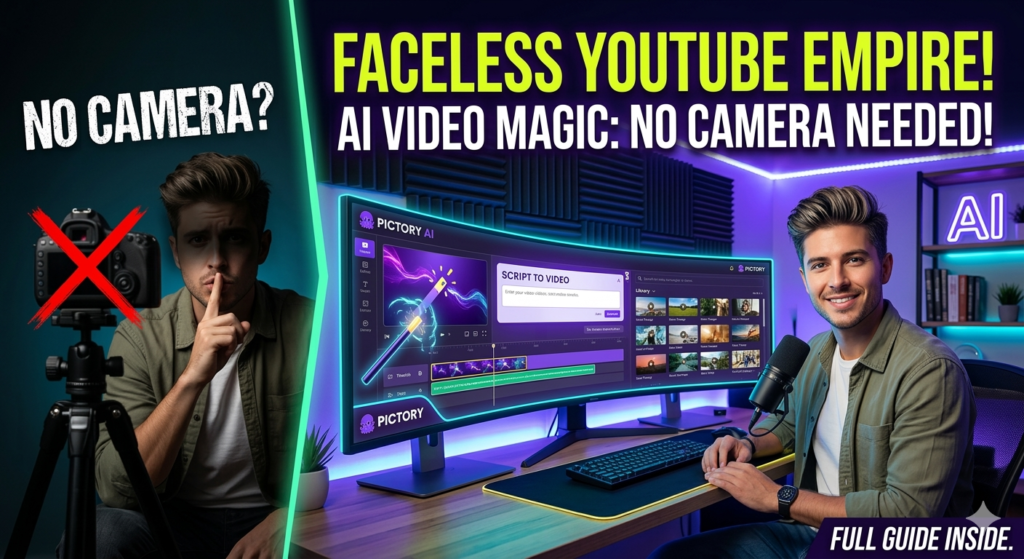
Tool 1: Pictory for Video Creation
Pictory is the core of a faceless operation. It’s the reason a one-person channel can publish daily.
The workflow:
1. Write a script (or use ChatGPT/Claude to write it in 5 minutes)
2. Paste the script into Pictory
3. Pictory scans it, breaks it into scenes, adds stock footage, layers on captions
4. You tweak anything you don’t like (usually 10-15 minutes of adjustments)
5. Export the video
Total time per video: 30-45 minutes once you’re used to the workflow.
What makes Pictory different:
The stock footage library is massive and the AI is genuinely good at picking relevant clips. Competitors often feel like they’re stitching random visuals together. Pictory’s selections actually match the narrative.
The captions generate automatically in the style that works best for retention. This matters more than people realize — YouTube’s own data shows captioned videos have 12% higher watch time.
Pricing:
• Free trial (3 videos up to 10 minutes each) — enough to launch
• Standard: $25/month — 30 videos/month, no watermark
• Professional: $49/month — 60 videos, better voiceovers
👉 Try Pictory free — Use code SHEA20CC for 20% off
Tool 2: ElevenLabs for Voice (Optional but Game-Changing)
Pictory’s built-in voices are functional. They’re not great.
If you want your channel to sound professional from video one, pair Pictory with ElevenLabs.
The workflow:
1. Generate your script audio in ElevenLabs (takes 2 minutes)
2. Download the MP3
3. Upload it to Pictory as the voiceover
4. Pictory syncs the footage to your audio
The difference in quality is immediate. ElevenLabs voices are indistinguishable from human voiceovers at this point. Viewers don’t notice they’re AI. The retention bump is meaningful.
The bonus play most channels ignore:
ElevenLabs has a Voice Library where you can upload your own voice clone and earn royalties when others use it. I uploaded mine in 2023. It still generates $100-200/month passively. Do it once, forget about it, check your Stripe account every quarter.
Pricing:
• Free tier: 10,000 characters/month (enough for 2-3 short videos)
• Creator: $22/month — 100,000 characters
• Pro: $99/month — 500,000 characters
For most starting faceless channels, the Creator plan is the sweet spot.
👉 Try ElevenLabs free
Tool 3: Claude for Scripts
This is where most faceless channels fail.
The visuals and voice are easy now. The bottleneck is script quality. Bad script + great visuals = low retention + dead channel.
I use Claude for script writing. It’s significantly better than ChatGPT for long-form narrative structure, and YouTube scripts are long-form narrative structure.
My Script Formula (The One Actually Working):
Most YouTube gurus teach “hook, setup, deliver.” That’s not enough.
Here’s what actually holds attention:
0:00-0:08 — Tension Opening (use one of the three triggers from earlier)
0:08-0:20 — Personal Stake (why YOU care about this, in one sentence)
0:20-0:45 — The Promise (what exact insight will they leave with?)
0:45-1:30 — First Payoff (give them value IMMEDIATELY, not after 3 minutes)
1:30-End — Deliver the full value in segments, each ending with a mini-cliffhanger
Last 30 seconds — Call to action that ties to the NEXT video they should watch
Feed this structure to Claude. Give it your topic. Tell it the tone you want. Iterate twice. You’ll have a better script in 15 minutes than most creators write in 2 hours.
👉 Full Claude review
Thumbnails: The Part That Actually Determines Clicks
This was my biggest failure in channel one.
Your thumbnail isn’t a visual summary of your video. It’s a visual promise of tension.
What actually works in 2026:
The Expression Rule. Even on faceless channels, thumbnails with expressive human faces (stock photos or AI-generated) outperform abstract thumbnails by 30-40%. The brain pattern-matches faces instantly.
The Color Psychology That Matters. Red and yellow signal urgency. Blue signals trust. Black signals mystery. Your thumbnail should pick ONE dominant emotion and lean into it. Multi-color thumbnails with no emotional direction get ignored.
The 3-Word Maximum. If your thumbnail text can’t fit in 3 words, you’re writing too much. Viewers scroll fast. They see your thumbnail for 0.5 seconds. Make it count.
The Contrast Test. Shrink your thumbnail to the size of a mobile phone preview. If the text isn’t readable at that size, it’s invisible at full size too.
Real A/B test from my channel:
Same video. Two thumbnails. Version A: abstract gradient with clean text. Version B: shocked face stock photo with red arrow pointing at a “$” sign.
Version A: 1.8% CTR (click-through rate).
Version B: 7.2% CTR.
Same video. Same content. 4x the clicks. That’s what thumbnails do.
The Daily Routine That Actually Works
I get asked about the “grind” constantly. Here’s the real schedule — not the Instagram version.
Monday:
Deep work day. Script two full videos in Claude. Generate audio in ElevenLabs for both. Total time: 3-4 hours.
Tuesday:
Build Videos 1 and 2 in Pictory. Tweak footage. Export. Total time: 2 hours.
Wednesday:
Design thumbnails in Canva. Write SEO-optimized descriptions in ChatGPT. Schedule uploads. Total time: 1.5 hours.
Thursday:
Research next week’s topics using Perplexity. Study top videos in my niche. Note what’s working. Total time: 2 hours.
Friday:
Respond to comments. Analyze previous videos. Look at YouTube Analytics. Plan pivots based on data. Total time: 1 hour.
Saturday-Sunday:
Nothing. Completely off. This matters more than people realize — burnout is the #1 channel killer.
Total weekly time: ~10 hours.
That’s it. No 60-hour grinds. No all-nighters. Just consistent focused blocks.
The Three Faceless Channels I Study Obsessively
I’m not going to name them because that’s how you get copycatted into oblivion. But I’ll tell you what to look for when you pick your three.
Channel 1 — The Growth Example
Pick a channel that went from 0 to 100,000 subscribers in your niche within the last 18 months. Watch their first 20 videos. Study how their production quality and topic selection evolved. This is your roadmap.
Channel 2 — The Current Peak Example
Pick the biggest faceless channel in your niche. Study their thumbnails, titles, and first 30 seconds of every video. These people have figured out attention. Steal their techniques.
Channel 3 — The Underrated Example
Find a channel with great content but low subscriber count. Figure out what they’re doing wrong. Make sure you’re not doing the same thing.
Spend 30 minutes a week on this. It compounds massively.
How Faceless Channels Actually Make Money
AdSense is the obvious one. But it’s usually not the biggest.
Revenue sources in order of profitability:
- Affiliate Marketing (usually 40-60% of total revenue)
Embed affiliate links in every video description. Recommend tools you actually use. One good video with an affiliate link can earn for years. - YouTube AdSense (usually 20-40%)
Kicks in after 1,000 subscribers and 4,000 watch hours. Scales with views. - Sponsorships (usually 10-30%)
Brands pay $200-2,000+ per sponsorship once your channel hits 10,000+ subscribers. Can exceed AdSense easily in certain niches. - Digital Products (variable, but potentially huge)
Sell a guide, template, or course related to your niche. Highest margins. Requires a small audience but pays enormously. - Channel Memberships (small but recurring)
Not huge revenue but creates stability.
Most faceless channels I know operate on the 40-30-20-10 rule: 40% affiliates, 30% AdSense, 20% sponsorships, 10% products.
The Numbers After 90 Days (Brutally Honest)
Days 1-30:
You’ll upload maybe 10-15 videos. Total views: 200-800. Subscribers: 5-30. Income: $0.
Days 31-60:
YouTube’s algorithm starts testing your content. A few videos might get 1,000-3,000 views. Subscribers: 50-200. Income: $0-15.
Days 61-90:
If your content is genuinely useful and consistent, one video will “break out” — meaning YouTube pushes it to tens of thousands of people. Subscribers can jump to 500-2,000 in a single week. Income: $30-200.
The uncomfortable truth:
80% of channels quit before day 60. They get discouraged because month one had no results.
The ones that don’t quit almost always see results between month 3-6. Not because of luck. Because YouTube’s algorithm tests new channels slowly. If you ship consistent content, eventually the algorithm finds the right audience for you.
I was 7 days away from quitting when my channel took off. That’s how close everyone is.
The Mistakes That Killed My First Channel
My first faceless channel died after 4 months. Here’s exactly why:
Mistake 1: Niche too narrow too fast. I picked “productivity for remote software engineers.” Sounded smart. It was actually too specific — not enough monthly searches to generate growth. I killed my oxygen supply on day one.
Mistake 2: Script quality was garbage. I rushed scripts to hit upload schedules. The videos looked fine but the information was shallow. Retention dropped to 28% by minute two. YouTube’s algorithm buried me.
Mistake 3: Ignored thumbnails. Spent all my effort on video production. Thumbnails looked like stock screensavers. CTR was 1.1% (industry minimum is 4%). Nobody clicked. View counts stayed in the hundreds.
Mistake 4: Uploaded inconsistently. Two videos one week, none the next, five the week after. The algorithm punishes inconsistency harder than low quality. It needs predictability to rank you.
My second channel fixed all four mistakes. Hit the numbers I mentioned earlier. Same tools. Same effort. Different approach.
If you’re going to steal one insight from this guide, make it this: don’t let the first 60 days of silence trick you into thinking it’s not working. It is. You just can’t see it yet.
Your First Step
If you want to test this without committing:
1. Sign up for a free Pictory account
2. Pick one topic you know well
3. Write or generate a 500-word script about it
4. Run it through Pictory
5. Upload the video to a free YouTube channel
6. See how the workflow feels
Total time investment: about 2 hours. Total cost: $0.
If you hate the process, faceless YouTube isn’t for you. If you finish that first video and think “I could do this every day” — you just found your path.
👉 Try Pictory free — Use code SHEA20CC for 20% off
👉 Try Fliki free — Alternative voice-first workflow
👉 Try ElevenLabs free
The Final Point
Faceless YouTube in 2026 isn’t a shortcut. It’s a legitimate long-term business that takes 90+ days of grinding before the compounding starts.
What’s different now is that the tools have collapsed the cost to nearly zero. What used to require a studio, camera, editor, and voice actor now requires an internet connection and about 10 hours a week of focused work.
That gap — between what you can build and what it costs to build it — is the biggest arbitrage available to anyone with time and a topic they care about.
The creators who figured this out early are earning real money quietly. The ones still saying “I can’t start a channel because I don’t want to show my face” are choosing the excuse instead of the opportunity.
Pick your niche. Set up the tools. Publish your first five videos this week.
90 days from now, you’ll either have a channel worth scaling — or you’ll know this isn’t your path.
Either answer is better than “maybe someday.”
That’s the real choice.
Going deeper? Read 5 Ways to Make Money with Pictory in 2026, Fliki vs Pictory comparison, or how I automated a $35K/month SaaS portfolio using the same AI tools.